HTML5 Tutor1.6.16
Publisher Description
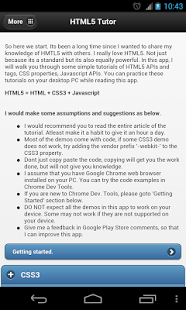
An awesome application to learn HTML5 interactively. You can use the built-in tutorials and demos to learn.
Also Code samples are provided.
Teaches new CSS3 properties like animation, transition, opacity.
Teaches new Javascript APIs in HTML5.
Teaches and demos HTML5 tags like and
Who is this application for?
This application is for anyone who is a web developer, wants to be a web developer or who wants to enhance his web development skills.
I want to see the code. Is it possible?
Yes, we have given source code to read and understand what is going on in the demo. Feel free to use it anywhere.
What all does this app teach me?
It will teach you.
1. How to give rounded corners to anything in web page.
2. How to move, rotate, enlarge the elements in web page.
3. How to animate elemets in web page using CSS3
4. How to animate elemets in web page using Javascript
5. How to draw on HTML5 Canvas
6. How to use advanced HTML5 Client side storage API
7. How to use Audio and Video tags in HTML5
Can I edit and try running the code?
Yes. The app also lets you edit the code and run it within the app. This will enable you to play and fiddle with the code giving you better understanding of HTML5, CSS3 and Javascript.
About HTML5 Tutor
The company that develops HTML5 Tutor is The4D. The latest version released by its developer is 1.6.16. This app was rated by 2 users of our site and has an average rating of 5.0.
To install HTML5 Tutor on your Android device, just click the green Continue To App button above to start the installation process. The app is listed on our website since 2014-10-06 and was downloaded 43 times. We have already checked if the download link is safe, however for your own protection we recommend that you scan the downloaded app with your antivirus. Your antivirus may detect the HTML5 Tutor as malware as malware if the download link to net.the4thdimension.html5tutor is broken.
How to install HTML5 Tutor on your Android device:
- Click on the Continue To App button on our website. This will redirect you to Google Play.
- Once the HTML5 Tutor is shown in the Google Play listing of your Android device, you can start its download and installation. Tap on the Install button located below the search bar and to the right of the app icon.
- A pop-up window with the permissions required by HTML5 Tutor will be shown. Click on Accept to continue the process.
- HTML5 Tutor will be downloaded onto your device, displaying a progress. Once the download completes, the installation will start and you'll get a notification after the installation is finished.
Program Details
System requirements
Download information
Pricing
Version History
version 1.6.16
posted on 2014-10-06
Try it yourself.,Bug fixes.
version 1.5.11
posted on 2013-04-28
Several fixes and updates
